
Introduction to analytics dashboard
Last updated: August 13, 2025
Videosync provides a comprehensive analytics dashboard that gives you insights into your event performance. You can access the analytics by navigating to Analyze in your event. The dashboard shows you detailed information about your registered participants, viewer engagement, and conference call activity.
Registered participants
It takes a while after end of the stream until the analytics data is ready.
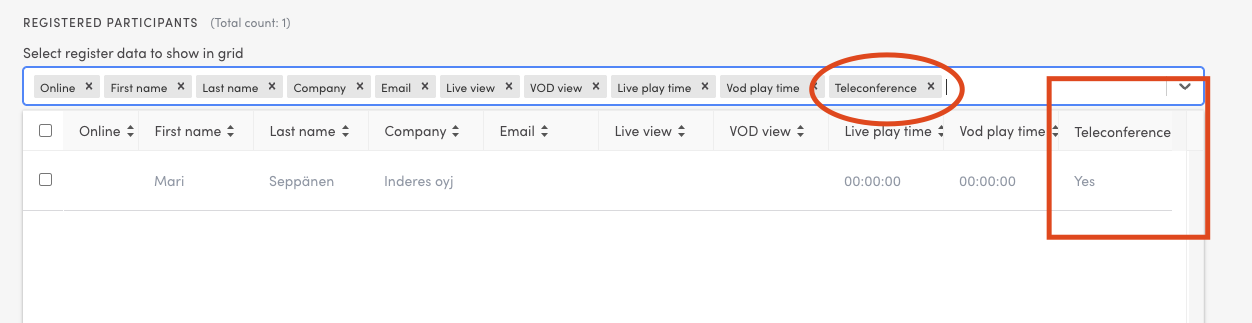
This section shows the registered participants. You can filter this list or add columns that are not shown by default which is often quite useful. For example, you can find the registered conference call participants in Analytics Dashboard under “Registered participants” if you enable “Conference Call” row as in the picture.
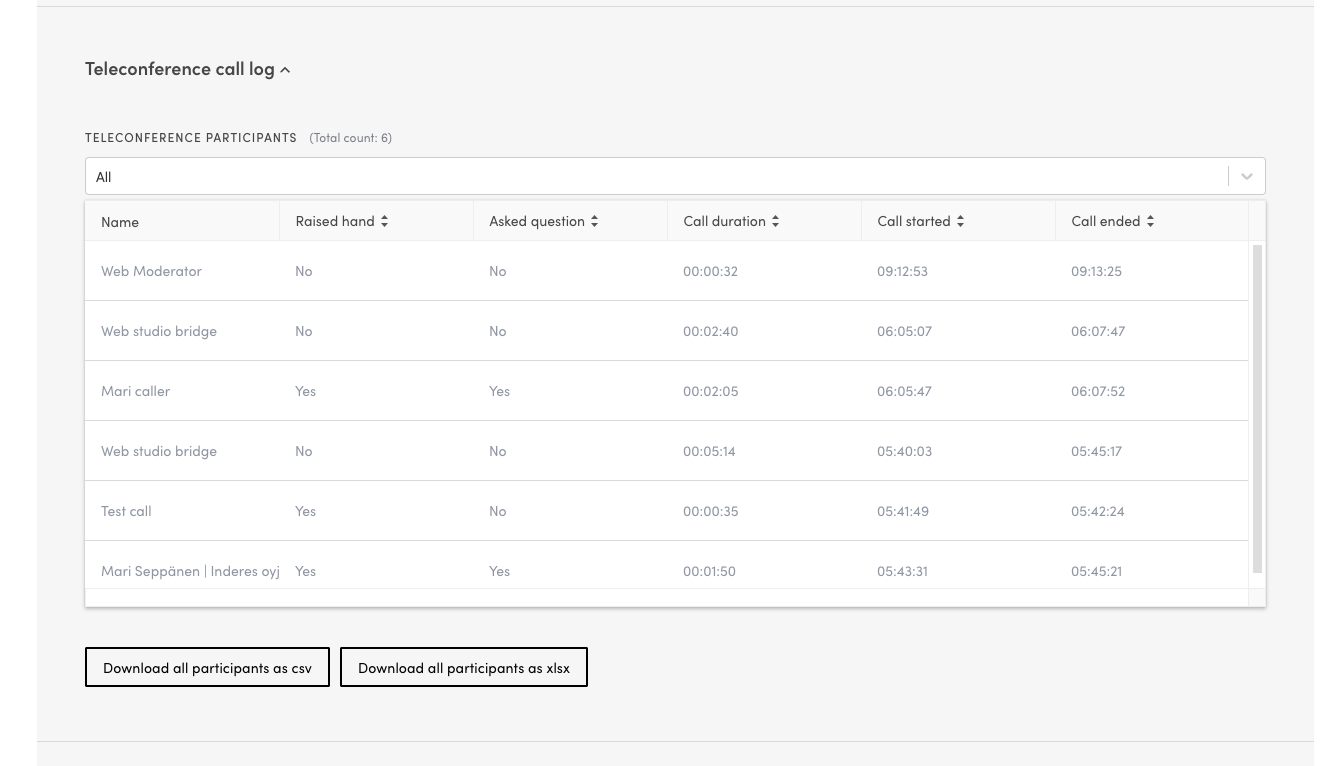
And people who have been in the conference call, you can see under “Conference Call Log” as shown in this screenshot:
Can't find what you're looking for?
Our AI assistant is here to help you find the information you need.